Race Timer App - DInghy Sailing Race Control
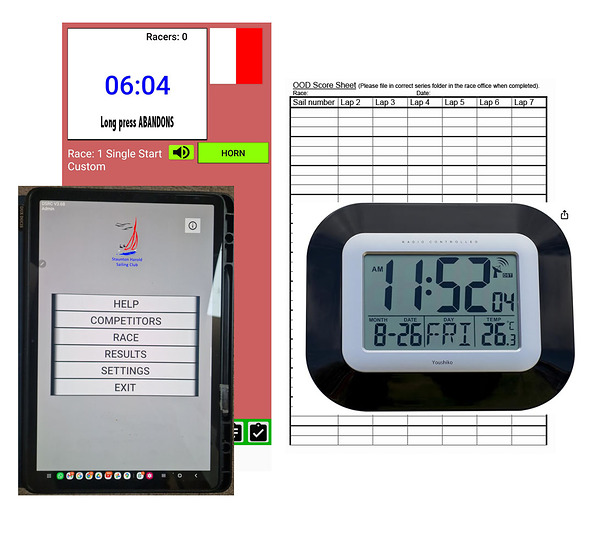
This great app runs on a 12" Android tablet in a waterproof case. Please use the blue waterproof floating case to transport to the committee boat and use the leash or mounting when on the committee boat.
OPTION 1. Use as a countdown timer, flag prompt, horn sounder (Bluetooth), lap timer and finish horn and timer BUT manually writing down the competitors, sail numbers and times. When you press start you get a 10sec lead-in followed by the warning signal so press start 10sec before a whole minute on the GPS clock. The app will count down, showing you which flags to get ready and sound signals are automatic through Bluetooth to the committee boat horn. Make sure there are no competitors selected on the race timer. As each boat completes a lap just record the elapsed time (top left on tablet) on your score sheet. On the final lap you can shorten to open the finish. The app will sound 2 hoots and as the boats cross the line tap the stopwatch icon to display the elapsed time to record on your score sheet. When all boats have finished click End Race and then click Reset to prepare the next race. Please always take the tablet back to the race box and plug it in (there is power on the committee boat if needed). Click for VIDEO TUTORIAL
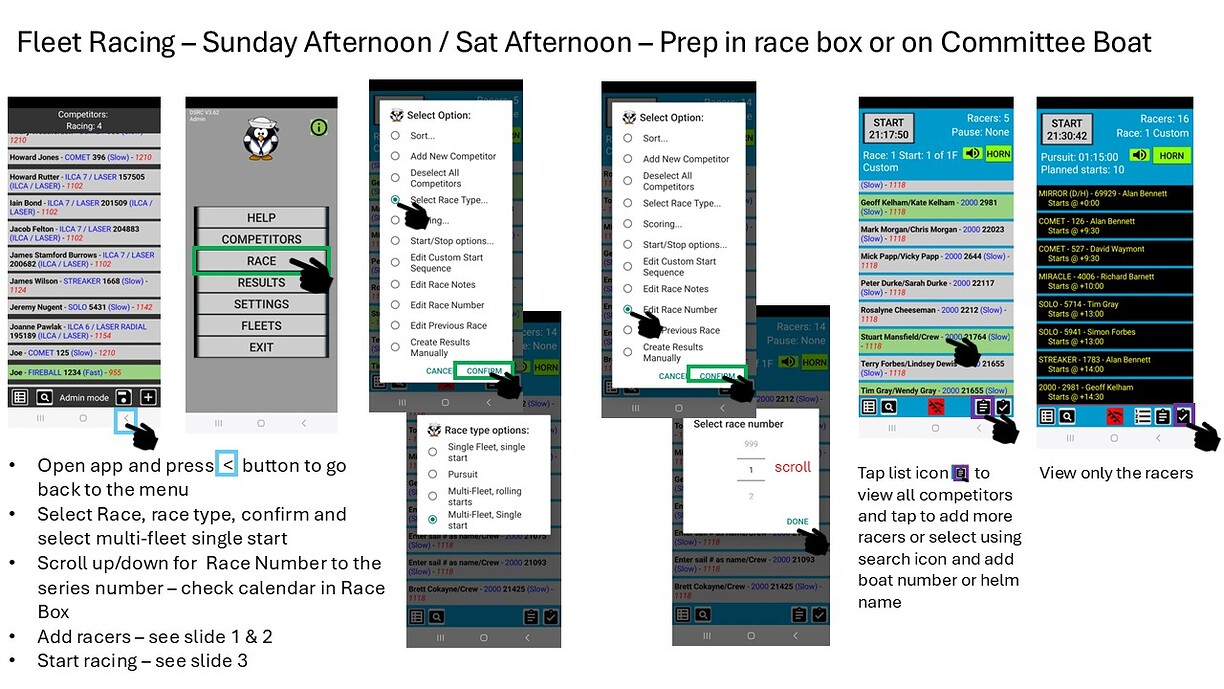
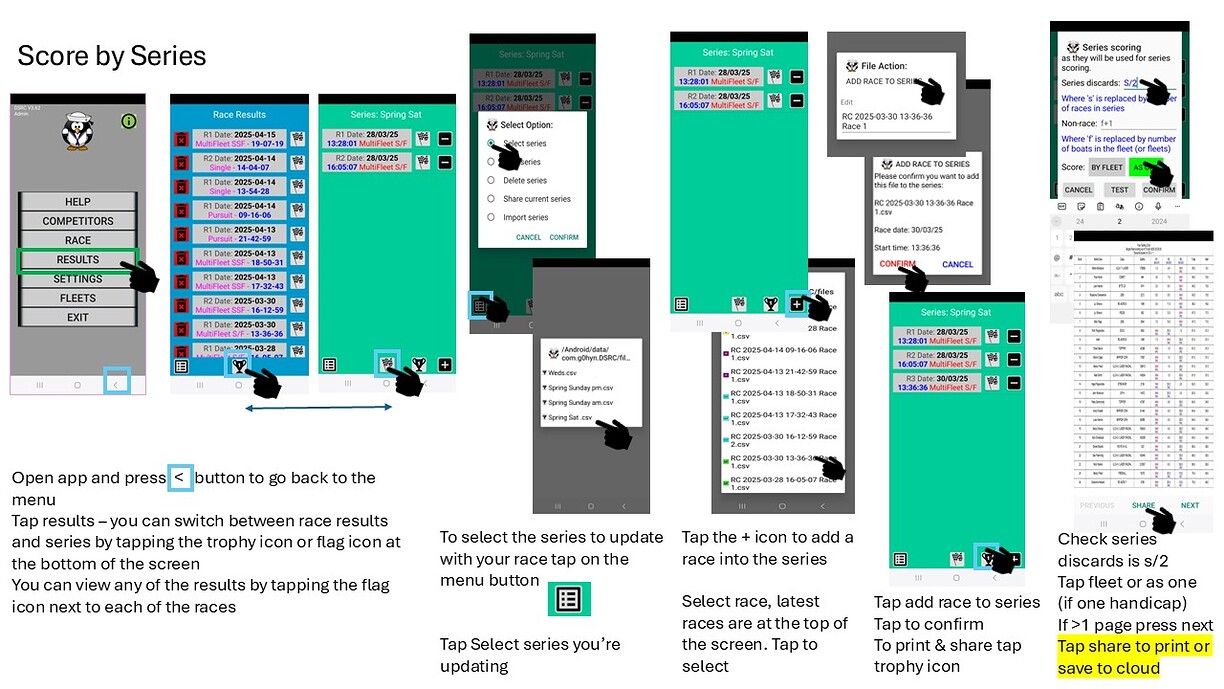
OPTION 2. This option requires practice and can be stressful with a big fleet. Use for inputting competitors by sail number and name (database pre-loaded) and tapping competitors on the screen each lap and finish. When you press start you get a 10sec lead-in followed by the warning signal so press start 10sec before a whole minute on the GPS clock. The app will count down, showing you which flags to get ready and sound signals are automatic through Bluetooth to the committee boat horn. As each boat completes a lap just tap its entry on the tablet where it will record lap times and calculate corrected time keeping the leaders at the top of the list. On the final lap you can shorten to open the finish. The app will sound 2 hoots and as the boats cross the line tap them to record the elapsed time. When all boats have finished click End Race and then click Results. The app will apply PYs and calculate results. The app will give you a printable results table for input into Sailwave. Click Reset to prepare the same list of competitors for the next race. Please always take the tablet back to the race box and plug it in (there is power on the committee boat if needed). Click for VIDEO TUTORIAL
If you have an android phone or tablet you can download the free app here - (note it will have random flags and competitors but good for practice.)
Watch our Video Tutorials:
Using OPTION 1 - for an aid to manually recording
Using OPTION 2 - as a full app based recording of competitors timings including results.
Using for Pursuit Racing
User Guide Slides


Any questions please contact Andy at webmaster@shsc.org.uk

Last updated 10:23 on 6 May 2026